Stay in the loop, or switch it off
From time to time, our app sends notifications about our latest offers, helping you keep your routine topped up without missing out on savings.
If you’d rather not receive these, you can turn them off at any time.
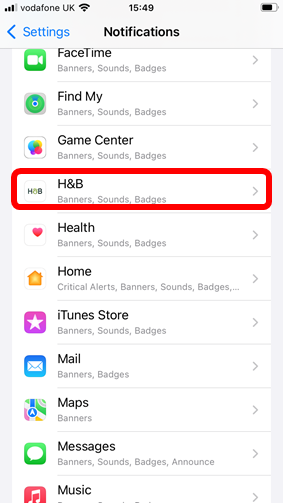
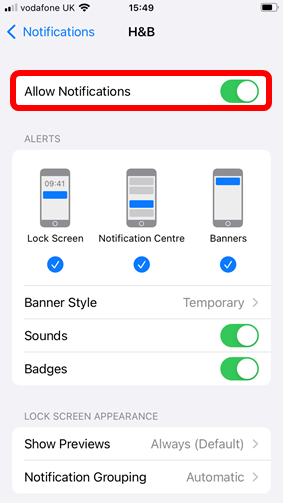
How to switch off notifications
- Select 'Settings'
- Select 'Notifications'
- Select 'H&B'
- Turn off 'Allow Notifications'